Turkish Airlines Flight Ticket
- 4.4
- Rating
- 10.00M
- Installs
- Free
- Price

 Analysis by App-foxy
I installed Turkish Airlines Flight Ticket to see whether it is genuinely useful for managing a Turkish Airlines journey or merely a branded shortcut to the airline’s usual booking process. My overall impression is that it is best understood as a focused travel companion from Turkish Airlines, the developer, rather than a general flight-search tool. It belongs to the Travel & Local category, is free to download, and is suitable for everyone. That makes trying it low-risk, especially if your trip already involves Turkish Airlines.
The app has been available since October 10, 2017, and its current version is 1.47.1. It runs on Android 7.0 and later, so people using older phones may need to check compatibility before planning around it. Its popularity is substantial: it has passed 10 million installs, with an average rating of 4.5 from roughly 145,000 ratings and about 1,400 written reviews. Those figures do not automatically make it perfect, but they do suggest that it has become a familiar tool for a large number of travelers.
What the app is really useful for
The clearest way to judge this app is to separate airline-specific convenience from broader travel research. I would not open it first when I am comparing every airline flying between two cities. I would open it when Turkish Airlines is already a serious option and I want to handle the journey through the carrier itself. That distinction matters because the app’s value comes from keeping the trip close to the airline’s own booking and travel workflow.
You May Also Like

 AccuWeather: Weather Radar
AccuWeather Review: A Quick, Clear Forecast for Everyday Decisions
For everyday plans, the best forecast is the one you can understand quickly. AccuWeather makes rain timing, radar, and local conditions easy to act on, with a few trade-offs.

 Hill Climb Racing
Why Hill Climb Racing Still Turns Crashes Into One More Run
A tiny car, a bumpy hill and one more upgrade: Hill Climb Racing keeps resurfacing because its simple chaos makes every near-miss feel personal.

 AliExpress - Shopping App
AliExpress Makes Global Shopping Feel Personal, but Shoppers Bear the Risk
AliExpress turns a global marketplace into a pocket-sized discovery engine. Its reach is useful, its shopping loop compelling, and its trade-offs easy to miss.

 Lords Mobile: Kingdom Wars
Lords Mobile Is a Kingdom-Building Routine, Not a Quick Match
A case-by-case verdict on the building, battles, device demands, and social commitments that make Lords Mobile rewarding for some players and exhausting for others.

 PDF Scanner app - TapScanner
TapScanner Makes Paperwork Easier to Capture, Check, and Share
TapScanner makes scanning with a phone feel less like a rescue operation and more like a dependable step in getting work done. Its capture tools are useful, though not flawless.

 Block Blast!
 Shows How Much a Puzzle Game Can Leave Out
A quiet grid game shows why puzzle players increasingly value instant clarity, repeatable skill and low-pressure play—and where the genre still needs to catch up.
More From Our News Desk
View All News


For a traveler, that can be more practical than moving between a search engine, a browser, an email inbox, and an airport website. A dedicated airline app gives you one place to return to after making a reservation, which is especially helpful when a journey includes several stages or when you are checking details shortly before departure. I found that this kind of single-carrier focus feels less overwhelming than a broad travel marketplace, although it is also less flexible for comparing unrelated airlines.
The store summary presents the app as a way to discover the world with Turkish Airlines privileges. In everyday terms, I see it as a mobile doorway into the airline’s travel services. The important question is not whether it replaces every other travel app; it does not. The question is whether it reduces friction once Turkish Airlines is part of your plan. For that use, the concept makes sense.
Cost: free access, but not free flights
The application itself is free. That is the verified cost a reader can rely on when deciding whether to install it. However, free access should not be confused with free transportation or guaranteed savings on a ticket. The app is a tool for interacting with an airline, while the cost of an actual booking depends on the flight and purchase details presented during the travel process.
This distinction is important because a free airline app can still lead to paid travel. I would install it without treating the download as a financial commitment, but I would make the final ticket decision based on the fare, itinerary, baggage needs, and flexibility shown during booking. The app’s free price makes it easy to test, yet it does not by itself prove that booking through the app is cheaper than using a browser or another seller.
For that reason, I would avoid assuming that the mobile route always offers the lowest fare. If price is the only thing that matters, I would compare the total cost through the available alternatives before paying. If convenience and direct handling matter more, the free app can still be worthwhile even when the ticket price is identical elsewhere.
How I would use it before buying
My preferred workflow would begin with broad research outside the app. I would first decide which dates, airports, and connection times are acceptable, then use the Turkish Airlines app when I am ready to inspect the airline’s own options. This avoids forcing a carrier-specific tool to do a job better suited to a comparison service.
Before confirming anything, I would slow down and review the complete itinerary rather than relying on a quick glance at the first attractive fare. A low headline price can be less useful if the timing creates an awkward overnight stay, a difficult airport transfer, or a connection that does not suit the rest of the trip. The app can help with the airline side of the decision, but it cannot decide whether the whole journey fits your personal schedule.
A practical tip is to keep the app for the period after research, even if you initially compare flights elsewhere. Once you have chosen Turkish Airlines, returning to the official application can make your travel information easier to revisit than searching through old browser tabs. I find this particularly useful when a booking was made several weeks before departure and the details are no longer fresh in my memory.
Where the value appears after booking
The strongest value is not necessarily the first search. It is the continuity of having a carrier-specific place to manage a trip. A traveler may need to look at a reservation again, confirm the route, or prepare for departure without starting the search from the beginning. Keeping those tasks associated with Turkish Airlines can feel more orderly than relying on scattered messages and browser bookmarks.
That advantage becomes clearer in a realistic situation. Imagine I book a Turkish Airlines itinerary for a family visit, then return to it a few days before leaving. I may be checking the departure city, reminding myself of the connection, and making sure I am looking at the correct reservation. Instead of reopening a dozen tabs, I can start with the airline’s app and use it as the first place to orient myself. The time saved may be modest, but the reduction in uncertainty is valuable when travel is already stressful.
For frequent Turkish Airlines travelers, the app can also become a familiar routine. The benefit is not that every journey becomes effortless; airline travel still involves schedules, airports, documents, and changing plans. The benefit is that the digital part of the process is tied to the company operating the flight rather than to a third-party marketplace that may sit between the traveler and the airline.
There is a trade-off here. A direct airline app is usually more relevant to an existing booking than a general travel app, but it is less useful for someone who has not chosen a carrier. I would value that specialization after deciding on Turkish Airlines, while considering it a limitation during the earliest stage of trip planning.
Comparing it with browser booking and travel marketplaces
The usual alternatives fall into two groups: the airline’s website and independent travel-search services. A browser is often better when I want to compare several airlines, open multiple routes at once, or work on a larger screen. A marketplace can be better for quickly scanning different carriers and prices. Those tools serve the discovery phase well.
The Turkish Airlines app has a different advantage: it keeps the experience centered on one airline. That can make the journey feel more coherent once the carrier is selected. I do not have to treat it as a replacement for every alternative. In fact, using both can be the sensible approach: compare broadly first, then use the official app for the Turkish Airlines portion of the decision and trip.
There is also a personal preference involved. Some travelers dislike installing an app for every airline they might use. For them, a browser and a general travel service may be enough. Others prefer a dedicated application because it is easier to return to a known place. I fall between those groups: I would not install this app just to browse every possible airline, but I would keep it when Turkish Airlines is central to my itinerary.
Small workflow choices that make it more useful
One useful habit is to install the app before the trip becomes urgent. Doing so gives me time to sign in, inspect the layout, and become familiar with where my travel information appears. Waiting until I am standing in a busy terminal is a poor time to learn any travel tool.
A second tip is to treat the app as one part of a backup plan. I would still keep essential booking information accessible through the confirmation message or another secure record. A phone can lose power, connectivity can be unreliable, and an app can require an update at an inconvenient moment. The application is convenient, but convenience should not become the only way to reach important travel details.
A third insight is to separate itinerary checking from fare hunting. Once I have a booking, I want a calm, reliable way to review that specific journey. Before booking, I want comparison and flexibility. Using the app for the first purpose and a broader tool for the second avoids expecting one product to excel at two different jobs.
Finally, I would check the phone’s operating system before recommending it to someone with an older device. The minimum listed requirement is Android 7.0, so compatibility is straightforward for many users but not universal across every Android phone still in use. This is a small detail, yet it can prevent an unpleasant surprise just before travel.
Limitations I would consider before installing
The biggest limitation is its narrow scope. Because it is built around Turkish Airlines, it is not the natural choice for someone who wants a neutral overview of all airlines, rail services, hotels, or local transport. A broad travel application will usually be more useful for assembling a mixed itinerary or comparing carriers without a preferred airline.
I would also be cautious about judging value from the high install count or strong average rating alone. Those figures show broad adoption and generally positive reception, but they do not answer the question of whether the application fits a particular traveler. A person who takes one flight every few years and does not want airline apps may gain little from it. A person already flying with Turkish Airlines may find the same download much more relevant.
Another limitation is the difference between app convenience and ticket value. The app is free, but that does not establish that its fares are cheaper, that every itinerary is the best option, or that it will suit a traveler who prioritizes flexible comparison above all else. I would make the purchase decision from the actual travel terms and total cost, not from the fact that the application costs nothing to install.
There is also a behavioral risk: a dedicated airline app can encourage people to stay within one carrier’s ecosystem even when another airline would better match their timing or budget. I would use it as a helpful channel, not as a reason to stop comparing. Loyalty to a familiar interface should not override the practical needs of the journey.
Who will get the most from it?
I think the app is a good fit for travelers who have already chosen Turkish Airlines, people who want a direct mobile connection with the carrier, and passengers who prefer keeping trip details in an airline-specific tool. It is also sensible for anyone who regularly checks a journey after booking and wants a familiar starting point instead of repeatedly searching the web.
It may be especially helpful for travelers who organize trips in stages. Someone might research flights on a laptop, purchase later, and then use a phone while preparing for departure. In that situation, the app works as the mobile continuation of the booking process rather than as the only planning tool. That is a more realistic expectation than treating it as a complete travel planner.
I would be less enthusiastic for a traveler whose main goal is finding the absolute cheapest route across many airlines. That person should begin with a comparison service and may decide that installing a carrier-specific app adds little. I would also hesitate to recommend it to someone using an Android version older than the stated minimum, since compatibility could prevent normal use.
For families or groups, the app’s usefulness depends on how the trip is organized. One person may appreciate having the airline information close at hand, while others may prefer a shared itinerary tool that combines flights, accommodation, transfers, and activities. The Turkish Airlines app is more focused, so it works best when the airline portion of the journey is the main concern.
My final buying and installing verdict
My recommendation is to install it when Turkish Airlines is already your likely carrier, but do not mistake free access for proof of a cheaper ticket. The application costs nothing to download, supports a direct airline-centered workflow, and has the scale and user reception of an established travel tool. Those are meaningful reasons to try it, particularly because there is no purchase price for access.
I would not make it my only travel-planning application. For comparing airlines, weighing alternative airports, or building a complicated multi-provider itinerary, a browser or independent travel service is likely to be more suitable. Once Turkish Airlines becomes the chosen carrier, however, the app’s focused design becomes a strength rather than a weakness.
In my view, this is a practical companion rather than an essential app for every traveler. Its value comes from reducing the distance between you and Turkish Airlines during the booking and preparation process. If that direct relationship matches the way you travel, the free download is an easy decision. If you are still comparing the entire market or want one universal tool for every part of a trip, I would skip it for now and return to it only after choosing Turkish Airlines.
Overall, Turkish Airlines Flight Ticket earns a place on my phone when I am flying with this carrier. I like its clear purpose, its no-cost access, and the convenience of having an airline-specific home for a journey. I would simply use it with a sensible boundary: compare widely before buying, verify the actual fare and itinerary carefully, and keep a backup record of important travel information.
FAQs for Turkish Airlines Flight Ticket
01Is the Turkish Airlines app free to download and use?
Yes, the Turkish Airlines app is completely free to download and use on both Android and iOS devices. There are no hidden charges for accessing features such as booking flights, checking flight status, or managing your reservations through the app. However, purchasing tickets or additional services will incur standard fees.
02Can I book flights directly through the Turkish Airlines app?
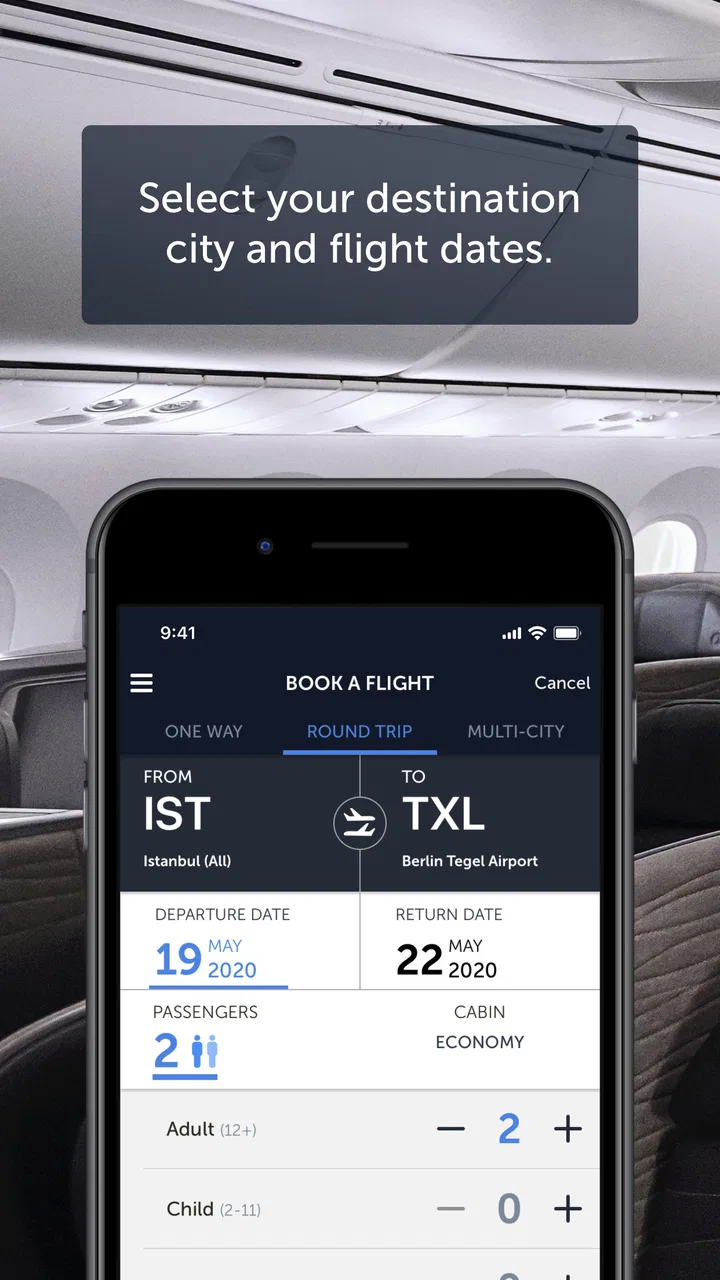
Absolutely. The Turkish Airlines app allows users to search for and book flights seamlessly. You can choose your departure and arrival cities, select travel dates, and even pick your preferred seat. The app supports secure payment methods, ensuring a safe and convenient booking process directly from your mobile device.
03What features does the Turkish Airlines app offer for managing bookings?
The app provides a suite of features for managing your bookings. You can view your itinerary, make changes to your flight, and even check in online. Additionally, the app allows you to download your boarding pass, track flight status, and receive real-time notifications about any changes or updates related to your travel.
04Does the Turkish Airlines app support multiple languages?
Yes, the Turkish Airlines app supports multiple languages to cater to its diverse user base. You can switch between languages such as English, Turkish, German, French, and more, directly within the app. This multilingual support enhances user accessibility and ensures that you can navigate the app comfortably, regardless of your language preference.
05How is my personal data secured on the Turkish Airlines app?
Turkish Airlines prioritizes the security of your personal information. The app employs robust encryption and security protocols to protect your data during transactions and while managing bookings. Additionally, the app adheres to privacy regulations, ensuring that your information is handled responsibly and securely at all times.
Pros
- User-friendly interface for easy booking.
- Comprehensive flight search options.
- Real-time flight status updates.
- Secure payment methods available.
- Loyalty program integration.
Cons
- Occasional app crashes during use.
- Limited offline functionality.
- Some features require internet access.
- Occasional slow loading times.
- Customer support can be unresponsive.

Turkish Airlines Flight Ticket
Gallery